Overview
This guide introduces how to use Postman to call the Wallet-as-a-Service (WaaS) 2.0 API.Prerequisites
- A Postman account.
- Make sure Cobo Sales has provisioned your Cobo account and organization. To request access, contact Cobo Sales. If you are joining an existing organization, ask its admin to invite you. Note: This guide uses the development environment in all examples. Make sure Sales has provisioned development environment access for your organization before continuing.
- You have generated an API key and an API secret and registered the API key on Cobo Portal.
Create a collection
- Download the WaaS 2.0 API specification from GitHub.
- Visit https://www.postman.com/ or launch Postman on your local machine.
- Create a new workspace if you do not have one yet.
- Import the API specification you have just downloaded into the workspace. To learn how to import a specification file, see Import an API into Postman
Add a pre-request script
Use pre-request-script.js as the pre-request script of your collection. This script automatically calculates the authentication-related parameter values and adds them as your request headers. To learn how to add a pre-request script to a collection, see Reuse pre-request scripts.Add environment variables
- Create an environment.
- Add the following environment variables to your collection:
privateKey: Set it to your API secret (private key).apiKey: Set it to your API key (public key).baseUrl: Set it tohttps://api.dev.cobo.com/v2.
- Make sure you have selected the environment you have just created.
Send an API request
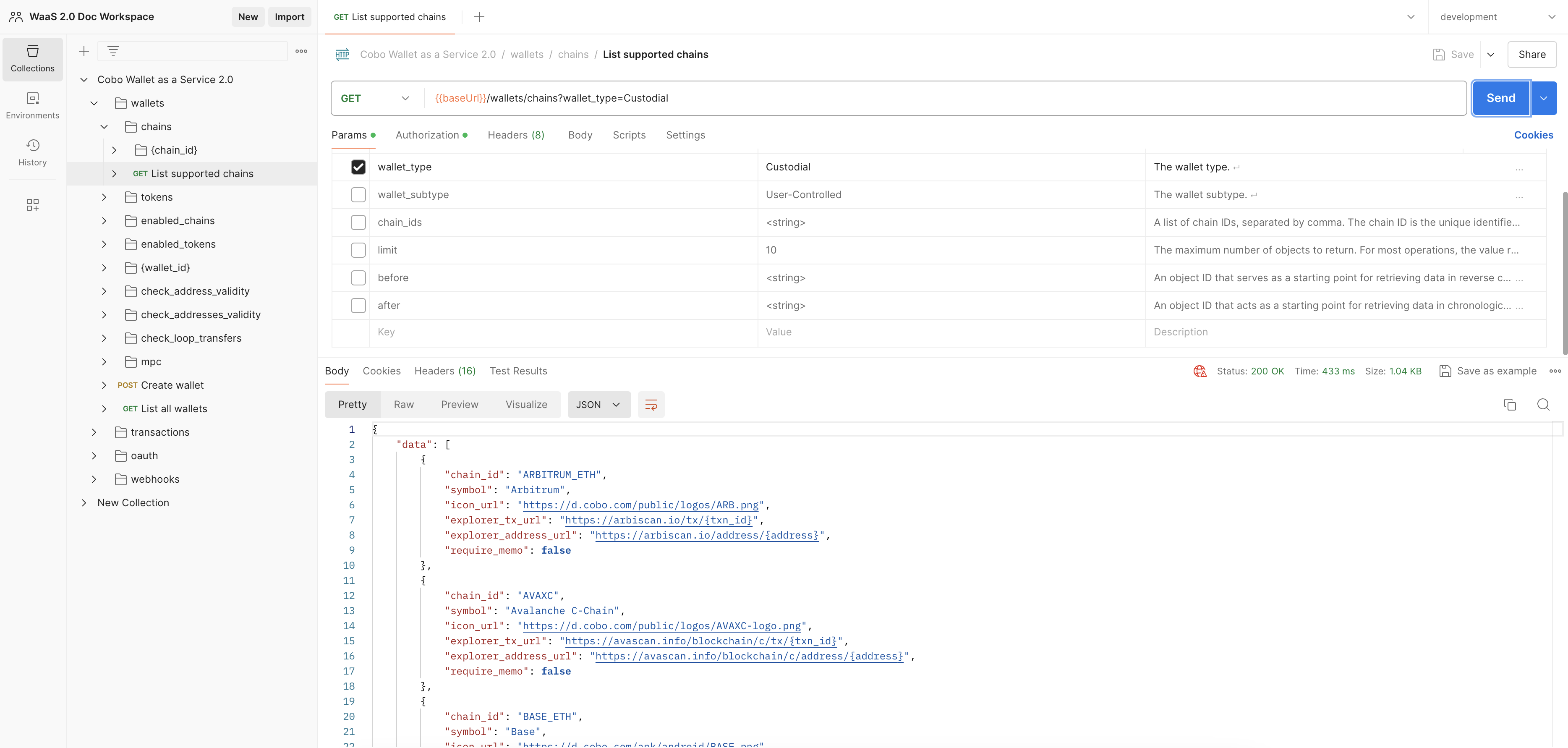
You have now completed the initial setup. The next step is to send an API request:- Choose an operation.
- Specify any parameters and body data if necessary,
- Click Send. If the request is successful, you will find the response displayed in the response section at the bottom of the page.